Datalogging for Street Cars
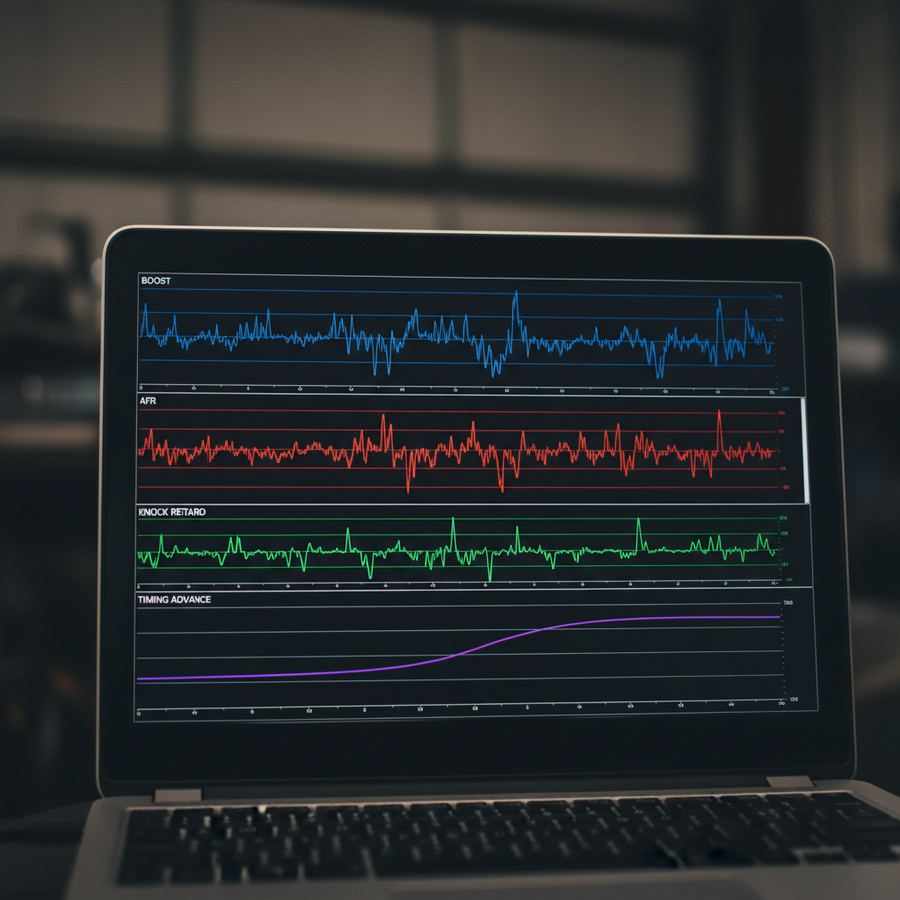
Your car is constantly measuring things. Air temperature, fuel pressure, throttle position, knock sensor voltage, oxygen sensor readings. All of it is available through the ECU. Datalogging is just the process of recording those values while you drive so you can review them later.
If you have a tuned car and you are not datalogging, you are flying blind. A tune can drift out of spec as parts wear, fuel quality changes, or the weather shifts. Datalogs catch problems while they are still small. Before the knock event becomes a cracked piston. Before the lean spot at 6000 RPM turns into a melted exhaust valve.
What You Are Actually Looking At
Most datalogging setups record between 10 and 30 parameters at once. You do not need to understand all of them right away. Start with the big five:
- Air/Fuel Ratio (AFR or Lambda): Is the engine running at the target the tuner set? Consistent AFR under load means the fuel system is keeping up.
- Knock Retard / Knock Count: Is the ECU pulling timing because it detected detonation? Occasional single-count events on rough roads are normal. Repeated knock at the same RPM and load is not.
- Boost Pressure: Is the turbo hitting its target? Overboosting or underboosting tells you about wastegate health, boost leaks, or solenoid issues.
- Coolant Temperature: Is the engine running hotter than it should? A cooling system that cannot keep up shows here first.
- Intake Air Temperature (IAT): Hot intake air makes less power and increases knock risk. If IATs climb too high, your intercooler may be undersized for your power level.
Tools for Datalogging
The tool depends on your platform. Cobb Accessport handles Subaru, Ford, and some Nissan/Mazda platforms. EcuTek covers a wide range of Japanese and European cars. HP Tuners is the standard for GM and some Ford applications. Each of these can record and display logs.
For standalone or wideband-only logging, a wideband controller like the AEM X-Series or Innovate MTX-L records AFR data independently. This is useful as a cross-check against what the ECU thinks it is seeing.
Logging Best Practices
Log during a steady-state pull in third or fourth gear. Start from low RPM (2000-2500) and go to redline. Do this on a flat, empty stretch of road. One clean pull gives you more useful data than 30 minutes of stop-and-go traffic.
Reading a Datalog
Open the log in your tuning software or a spreadsheet. Look at the AFR trace against the boost trace. Under full boost, AFR should hold steady at whatever target your tuner set (typically 11.0-11.5:1 on pump gas turbo cars, or around 0.78 lambda). If it goes lean during the pull, your fuel system is running out of headroom.
Knock retard is the other critical one. Line it up against RPM and load. If knock happens at the same spot every pull, there is a timing or fuel issue at that cell. If it is random and single-count, it might be noise from the road surface or a loose heat shield vibrating near the knock sensor.
Over time, you will develop a sense for what your car's logs should look like. A healthy log has smooth AFR traces, no sustained knock, and boost that hits target cleanly without spikes. An unhealthy log looks jagged, inconsistent, or shows values drifting from where they should be.
When to Send Logs to Your Tuner
If anything looks off, send the log. Good tuners want to see your data. If you just got tuned, pull a log after a tank or two and send it over. Seasonal changes matter too. A car tuned in October may need a revision in July when intake temps jump 40 degrees. That is part of maintaining a tuned car.
Remote tuning (e-tuning) runs entirely on datalogs. If you are getting an e-tune, your ability to pull clean, consistent logs directly affects the quality of your final calibration. Take it seriously.
The SAE J1979 OBD-II diagnostic standard defines which parameters are available through the standard diagnostic port. Most enthusiast-grade tools go well beyond this by accessing manufacturer-specific PIDs.
Articles in This Section
- Datalogging Basics for BeginnersHow to pull your first datalog and what parameters to watch.
- What Knock Retard MeansBreaking down knock sensor data and when to worry about it.
- Modified Car DiagnosticsUsing logs and scan tools to troubleshoot problems on tuned cars.